
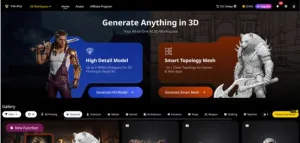
Telecom companies like Windstream are at the forefront of connecting people and businesses—offering high-speed internet, digital TV, home phone, and enterprise solutions. But in a competitive telecom market, standing out requires more than reliable services; it requires engaging digital content that helps customers understand your products, visualize your technology, and see the value of your services. The challenge? Creating high-quality 3D visuals—from product demos and network diagrams to customer education content—requires specialized skills and time, which many telecom teams don’t have. Manual 3D modeling slows down content production, and disjointed tools make it hard to maintain brand consistency. Tripo Studio is the AI-powered 3D solution that helps Windstream and telecom professionals create engaging, on-brand 3D content quickly and easily, enhancing customer experiences and driving adoption.
Tripo Studio’s Core AI 3D Features: Built for Telecom Professionals
Tripo Studio’s features are tailored to the unique needs of telecom companies, helping you create 3D visuals that explain complex technology, showcase products, and educate customers. Here’s how each tool works for Windstream’s ecosystem:
- Text to 3D Model: Generate 3D models of telecom equipment, network components, or service visuals with a simple text prompt. Need a 3D model of a fiber optic router, a home internet setup, a digital TV box, or a network tower? Just type your prompt (e.g., “sleek fiber optic router with Windstream logo”) and let AI generate a high-quality, brand-aligned 3D model in seconds. This solves the problem of slow, manual 3D creation, letting you produce content faster and keep up with customer demand. The result? Professional 3D visuals that showcase your products and services in a compelling way.
- Image to 3D Model: Convert 2D product photos, network diagrams, or brand assets (from Windstream’s library) into 3D models. For example, upload a photo of Windstream’s home internet kit and turn it into a 3D model for product demos, or upload a 2D network diagram and create a 3D version to explain how your services work. Our Image to 3D Model tool preserves brand details and product accuracy, making your content consistent and credible. This solves the problem of static 2D content feeling flat, helping customers visualize your products and services.
- AI Model Segmentation: Split 3D telecom models into individual components to explain how they work. For example, split a 3D router model into the antenna, ports, and power button to show customers how to set up their internet. This tool solves the problem of complex product demos, letting you break down telecom equipment into easy-to-understand parts. Our Segmentation/Split 3D Model feature is perfect for customer education, helping you reduce support tickets and improve customer satisfaction.
- AI Retopology: Optimize 3D models for digital content—webpages, mobile apps, and customer portals. Telecom content needs to load quickly and look professional across all devices—AI Retopology cleans up mesh geometry, reducing file sizes without sacrificing quality. This solves the problem of slow-loading 3D visuals, ensuring a smooth customer experience on Windstream’s high-speed internet.
- AI Texturing: Apply Windstream’s brand colors and textures to 3D models to maintain consistency across all content. Whether you want a sleek, modern finish for your fiber optic equipment or a friendly, approachable look for home products, AI Texturing lets you apply brand-aligned textures with a single click. This tool eliminates the need to manually paint textures, saving time and ensuring all your 3D content reflects Windstream’s brand identity.
- AI Rigging: Animate 3D models to create product demos and educational content. For example, animate a 3D router to show how to connect devices, a network diagram to show how data flows, or a digital TV box to show how to access streaming services. This solves the problem of static product visuals, helping customers understand how to use your services and get the most out of their Windstream subscription.
Practical Uses for Windstream & Telecom Professionals
Tripo Studio helps Windstream enhance customer experiences and streamline content production:
- Product Demos: Create 3D animations of Windstream’s internet, TV, and phone services to show customers how they work—reduce confusion and drive adoption.
- Customer Education: Use 3D visuals to explain complex telecom concepts (e.g., fiber optic technology, network speeds) in a way that’s easy to understand.
- Marketing Content: Create eye-catching 3D visuals for Windstream’s website, social media, and ads to showcase products and stand out from competitors.
- Support Materials: Develop 3D setup guides and troubleshooting visuals to reduce support tickets and improve customer satisfaction.
Why Tripo Studio Is a Perfect Fit for Windstream
Tripo Studio is designed to work seamlessly with Windstream’s digital ecosystem. It’s fast (generate models in seconds), easy to use (no technical skills required), and brand-aligned (customizable textures and styles). Unlike other 3D tools that require complex training, Tripo Studio lets Windstream’s team create professional 3D content in minutes, freeing up time to focus on what matters—delivering reliable telecom services and exceptional customer experiences. It also integrates with Windstream’s high-speed internet, ensuring 3D content loads quickly and smoothly for customers.
Quick Tutorial: Create a Windstream 3D Product Visual in 5 Steps
Ready to enhance your telecom content? Follow these simple steps:
- Sign up for Tripo Studio (free trial available) and log in to your account.
- Choose “Text to 3D” and type a prompt like “Windstream fiber optic router with blue and white branding” or “home internet setup with Windstream equipment.”
- Once the model generates, use AI Model Segmentation to split it into components (if needed) for educational content.
- Apply Windstream’s brand colors and textures with AI Texturing, and use AI Retopology to optimize the model for web and mobile.
- Animate the model with AI Rigging (e.g., show setup steps) and export it for your website, support portal, or marketing materials.
Windstream is committed to connecting people and businesses with reliable, high-quality telecom services. With Tripo Studio, you can enhance your digital content, educate customers, and stand out in a competitive market. Sign up for a free trial today and take your telecom content to the next level. Visit Tripo Studio to learn more.