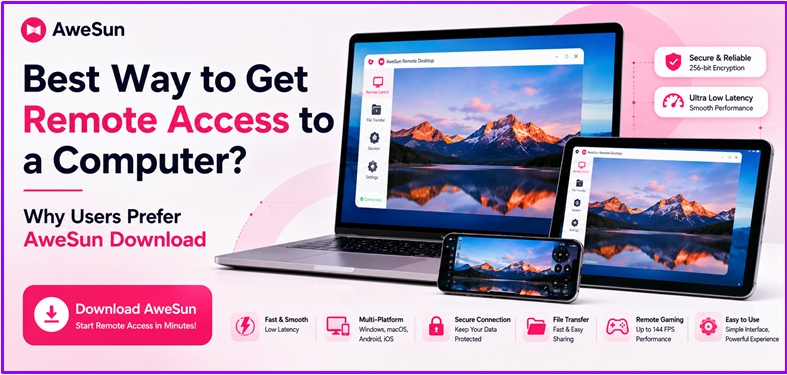
It wasn't that working remotely was once an option. For many, it's a normal part of life. Whether it's someone accessing office files from home, supporting a client in another city, or accessing their own PC while traveling, remote access to computers has become an essential part of modern workflows than most people would've thought a few years ago.
The issue is that many remote access to computer applications are still quite dated. Some are slow, some appear to be unnecessarily complicated, and some are irritatingly cumbersome the longer you use them. That is why more and more users have shifted to newer platforms like AweSun which are more about user-friendly aspects rather than complicating things.
Why Traditional Remote Access to Computers Often Feels Outdated
Many of the older remote desktop solutions were created for basic office support. On the day, it was only necessary to log on to another computer from time to time to access files or to solve problems. Everything is now very different in terms of workflow.
Users interact with various devices throughout the day.Users interact with multiple devices throughout the day. A person may use a laptop to work, then use a cell phone on the go and later at a desk using a desktop system.
Many older remote desktop tools still suffer from slow response, choppy streaming, or awkward controls on mobile devices. While they are not significant problems at first, they become tiresome after hours of working away from home.
This is the time when users begin searching for a better alternative.
What Makes AweSun Different From Older Remote Desktop Tools
AweSun is more than a traditional remote desktop program. The first thing most users will pick up on is that the platform is lighter and much easier to navigate than many of the older solutions.
It focuses on simplicity and practical utility, making remote access straightforward and efficient. That's from the usual scenarios, such as telecommuting, accessing files remotely, playing games, creating art projects, and even assisting family members with their tasks remotely.
The set-up process is also very easy to follow. AweSun has a more user-friendly approach than many of the remote tools, which often have complex permission settings or require advanced networking expertise.
Simple design is crucial for most users.
Remote Work Feels Smoother When the Software Stops Getting in the Way
To most users, they do not require hundreds of features. They simply want to access it remotely and without any disruptions.
Lag is one of the most common issues users face with remote desktop programs. Any delays as you type, file copy etc, can make work feel irritating after a while. When these little delays occur over the course of the day it is much more than the productivity drop that is anticipated.
Lag is common in remote sessions, but AweSun tackles it effectively by prioritizing responsiveness. Longer sessions feel smoother, with faster cursor movement, seamless transitions, and an overall experience that feels less “remote” compared to older platforms.
Why More People Are Using Remote Access Beyond Office Work
The days of companies and IT teams using remote desktop software are over. A more extensive user community today relies on remote connectivity on a daily basis.
Freelancers are frequently on the move and use an office's computers. More powerful systems are controlled by lightweight laptops from a distance. Students log in to their home computers when they are away from school. Some users can even remotely stream games when they're not at their game setup.
These changes have raised expectations for remote desktop platforms to support more than just office tasks.
AweSun is designed to fit into these new, contemporary workflows naturally, as it was developed to be flexible and not just for business support environments.
A Better Experience Across Multiple Devices
Flexibility of devices is something that many modern users are interested in. Every day, people switch between phones, tablets, desktops and laptops. If the remote software doesn't behave as it did on the other device, the whole thing becomes cumbersome.
AweSun works across:
- Windows
- macOS
- Android
- iPhone and iPad
Importantly, the experience remains consistent across all devices. Mobile controls are intuitive, and switching between systems is seamless, unlike many other remote desktop apps.
This cross-platform flexibility is one of the reasons this platform continues to grow in the number of users, both in personal and professional settings.
Performance Matters More Than Most People Realize
There are dozens of features that can be included in a remote desktop tool, but if the connection is unstable, it doesn't really matter.
Performance matters for every task, and AweSun delivers reliable, responsive access in real-world use.
Reducing latency and making things more responsive is a major focus point for AweSun. That can be particularly helpful when it comes to tasks which need to interact in real-time, like:
- Remote editing
- File transfers
- System management
- Creative workflows
- Gaming sessions
This responsiveness benefits all users, making everyday activities faster and less frustrating.
Remote Gaming and Creative Workloads Are Becoming More Common
In the past, creative and gaming software would not function well on a remote desktop platform. Older tools were not built for the fast visuals and the highly reflective nature of interactions.
That has changed with AweSun.
The smoother streaming and high frame-rate capabilities of AweSun help the platform become more responsive during high-motion activities. This is something that can be detected more quickly by designers, video editors and gamers, who are more likely to experience lag or compression problems during these processes.
While it doesn't replace local hardware, it offers a far more usable experience than older office-focused remote software.
Security Still Plays a Huge Role
Security is naturally a large concern whenever users are remotely connected to another system.
Users should want to know that their files, their sessions and personal information are safe when using remote access software. This is particularly crucial for companies with confidential information, remote workers, and freelancers.
AweSun features encrypted connections and secure session protections for users to feel more secure while working remotely. The platform is not only accessible, but it's also protected securely in the background.
Balancing ease of use with security is a key consideration for many users.
AweSun provides clear advantages over traditional remote desktop software.
With daily use, you will better understand the difference between AweSun and the previous remote desktop software.
Many of the traditional platforms work pretty well for simple access to the office, but they're not as optimized as they feel for how people work today. Today's users demand smoother visuals, quick response times, easy setup, and cross-device flexibility.
AweSun doesn't focus on everything users don't need to know, but rather on the simple things that make their experience more enjoyable.
This is one of the reasons the software appears more contemporary overall.
Comparison Table
|
Feature |
AweSun |
TeamViewer |
|
Setup Experience |
Quick & beginner-friendly |
Easy for basic use, more technical for advanced |
|
Performance |
Smooth & responsive |
Reliable, may lag under graphics-heavy tasks |
|
Mobile Support |
Optimized for modern devices |
Good but less intuitive |
|
Cross-Platform Usage |
Excellent |
Strong enterprise support, less flexible for personal use |
|
Gaming & Real-Time Work |
Better optimized |
Limited high-FPS support |
|
Security |
AES-256 encrypted sessions |
Enterprise-grade encryption |
|
Overall User Experience |
Modern & flexible |
Feature-rich but slightly outdated feel |
Why More Users Are Paying Attention to AweSun
A few years ago, people were willing to tolerate laggy remote desktop sessions because there weren’t many better options available. Expectations have changed a lot since then.
Users now expect remote software to feel fast, stable, and easy to use without requiring constant troubleshooting.
That’s one reason more freelancers, remote workers, gamers, and even casual users have started paying attention to AweSun. The platform feels more aligned with modern remote workflows instead of older office-only environments.
Why More Users Are Choosing to Download AweSun
As remote work continues to evolve, more people are searching for software that feels practical in real-world situations rather than simply offering long feature lists. That’s a big reason the AweSun download continues gaining attention among users who want smoother remote access, easier setup, and better overall responsiveness across devices.
Final Thoughts
Remote desktop software has changed a lot over the past few years. Users no longer want platforms that simply “connect.” They want software that feels reliable during everyday work without constantly slowing them down.
That’s where AweSun feels different.
Instead of focusing only on enterprise-style remote access, the platform feels designed around how modern users actually work — across devices, locations, and different kinds of workloads.
For anyone looking for a smoother, more flexible remote desktop experience in 2026, AweSun feels like one of the stronger options available.
FAQs:
1. Is AweSun free to use?
Yes. AweSun offers a free version for personal users that includes core remote access features.
2. Can AweSun work across different devices?
Yes. AweSun supports Windows, macOS, Android, and iOS devices.
3. Can AweSun support remote gaming and real-time tasks?
Yes. The platform supports smoother streaming and lower-latency performance for gaming and real-time tasks.
Media Contact
Company Name: AweSun
Email: Send Email
Country: Singapore
Website: https://awesun.aweray.com/