
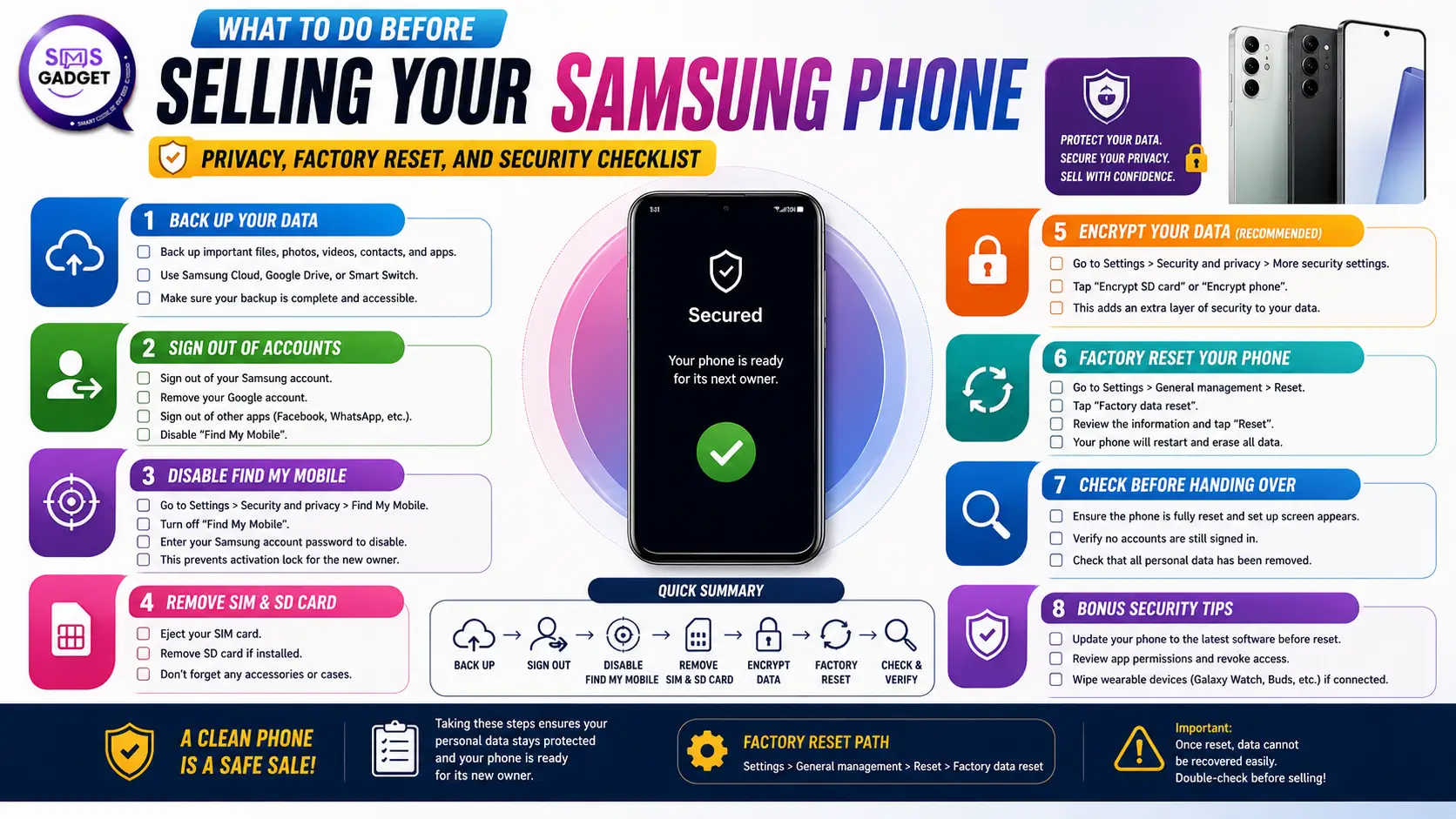
Most people focus entirely on getting a good price when selling their phone. The part that gets skipped — or rushed — is what happens to everything stored on the device before it leaves your hands. Contacts, saved passwords, banking apps, Google account, photos, chat history—none of it disappears automatically when you hand the phone over.
This checklist covers what to do before the sale, in the order it should be done.
Why the Order Matters
The steps below aren't interchangeable. Removing your accounts before backing up means losing data. Factory resetting before removing accounts can leave the phone locked to your Google credentials — making it unusable for the next owner and creating a return problem for you.
Do these in sequence:
Step 1: Back Up Everything You Want to Keep
Once you factory reset, recovery becomes difficult or impossible. Before touching any settings, back up:
Contacts: Sync to your Google account if not already done. Go to Contacts → Settings → Sync.
Photos and videos: Google Photos with backup enabled is the easiest option. Verify the backup is complete before proceeding — open the app and confirm it shows "Backup is on" with no pending uploads.
WhatsApp chats: WhatsApp backs up to Google Drive. Go to WhatsApp → Settings → Chats → Chat Backup and run a manual backup. Restore it on your new device before wiping this one.
Saved passwords: If you use Samsung Pass or Chrome's saved passwords, ensure these are synced to your Google or Samsung account. They don't transfer automatically through a reset.
App data: Some apps (banking, notes, authenticators) store data locally. Export or transfer anything critical before resetting.
Step 2: Transfer or Deactivate Two-Factor Authentication
This step gets overlooked more than any other and causes the most problems afterward.
If you use Google Authenticator, Microsoft Authenticator, or any TOTP app, your 2FA codes live on that device. A factory reset wipes them. Before selling, either transfer the authenticator app to your new phone or switch your accounts to a different 2FA method temporarily.
Losing access to an authenticator after a wipe means going through account recovery for every service that used it a process that can take days per account.
Step 3: Unlink Samsung Account
Go to Settings → Accounts and Backup → Manage Accounts → Samsung Account → Remove Account.
This matters for two reasons. First, Samsung's Find My Mobile feature is tied to your account and keeps device-level access active. Second, leaving your Samsung account on the device means the next owner cannot set up Samsung Pay, Samsung Pass, or certain Galaxy features—they'll run into account conflicts.
Step 4: Remove Your Google Account
Go to Settings → Accounts and Backup → Manage Accounts → Google → Remove Account.
Samsung devices running Android 5.1 and above have Factory Reset Protection (FRP) enabled by default. If your Google account is still linked when the phone is reset, the device will require your Google credentials to complete setup after the reset. The next buyer won't have those — and the phone becomes a locked brick until you intervene remotely.
Remove the account before resetting. This is the single most common mistake that creates problems post-sale.
Step 5: Remove SIM and Memory Cards
Physical step, easy to forget. Remove your SIM card and any microSD card before handing over the device. Memory cards in particular sometimes contain photos, documents, and app data that aren't covered by a factory reset.
If you're unsure whether the device has an SD card slot, check under Settings → Device Care → Storage → SD Card.
Step 6: Sign Out of All Apps
Banking apps, email accounts, social media, streaming services — sign out of each individually before the reset. While a factory reset removes the apps themselves, signing out first ensures session tokens are invalidated on the server side.
Pay particular attention to:
- Mobile banking apps (bKash, Nagad, bank apps)
- Email accounts (Gmail, Outlook)
- Social media (Facebook, Instagram)
- Cloud storage (Google Drive, Dropbox)
For banking apps specifically, most have a "Deregister device" or "Remove this device" option in their security settings; use it.
Step 7: Factory Reset the Device
Once accounts are removed and data is backed up, proceed with the reset.
Go to Settings → General Management → Reset → Factory Data Reset.
Samsung provides a summary of what will be deleted before you confirm. Read it. Some Samsung devices offer an additional option to overwrite storage — if available, enable it. Standard resets delete file references; overwrite-enabled resets write over the storage sectors, making recovery significantly harder.
The process takes 5–15 minutes depending on the device. The phone will restart to the initial setup screen when complete.
Step 8: Verify the Reset Was Completed Properly
After the reset, don't hand over the phone immediately. Go through the setup screen far enough to confirm:
- No Google account is pre-populated
- No Samsung account prompts appear
- The device has no pre-installed apps beyond Samsung/Android defaults
- Gallery, contacts, and messages are empty
If any of your data appears, the reset didn't complete correctly. Run it again before selling.
Pricing Your Samsung Before Selling
Condition, model, and storage capacity affect resale value significantly. A Samsung Galaxy S23 in good condition with the original box commands a different price than the same model without accessories.
Before listing, check the current Samsung phone price in Bangladesh across both new and used listings — this gives you an accurate floor for negotiation. Buyers will check these numbers regardless, so knowing them in advance prevents underselling.
One channel worth being cautious about: unofficial mobile shops in Bangladesh often offer quick cash purchases but typically price significantly below market. They're buying to resell at a margin, so the convenience of an instant sale comes at a cost. Comparing offers from multiple channels — including online buyers — usually yields a better return.
Before Handing Over: Final Checklist
- All data backed up (photos, contacts, chats, passwords)
- 2FA authenticator transferred or deactivated
- Samsung account removed
- Google account removed
- SIM and SD card physically removed
- All apps signed out individually
- Factory reset completed with overwrite option if available
- Post-reset verification done — device shows no personal data
Work through this list in order, and the phone leaves your hands cleanly, no residual data, no account conflicts, and no surprises for the buyer or for you afterward.
Frequently Asked Questions
Does a factory reset permanently delete everything on a Samsung phone?
A standard factory reset removes your files, apps, and account links — but it doesn't overwrite the underlying storage sectors. Technically, data can be recovered with forensic tools until those sectors are written over. If the phone contains sensitive information, use Samsung's "Erase All Data" option with overwrite enabled, or run the reset twice. For most everyday users, a single factory reset is sufficient. For anyone who stored banking credentials or sensitive documents, the extra step is worth it.
What happens if I forget to remove my Google account before resetting?
The phone will lock at the setup screen after the reset and ask for the Google account credentials that were previously linked. The new owner won't have those details, which means the device is unusable until you remotely remove it. You can do this through myaccount.google.com → Security → Your Devices, find the phone and remove it. The buyer will then need to reset the phone again. It's a fixable problem, but an avoidable one.
Can the buyer access my WhatsApp messages after a factory reset?
Not through normal means. A factory reset removes WhatsApp and its local data. However, if you had an SD card in the device and didn't remove it, WhatsApp backups stored there remain intact and accessible. Always remove the SD card before selling, regardless of whether you believe anything important is on it.
Should I sell with or without the original box and accessories?
With, if you still have them. Original packaging, charger, and earphones consistently increase resale value — buyers perceive a complete set as better maintained, and it signals the phone hasn't been heavily used or repaired. If the original charger is missing, note it honestly in the listing. Misrepresenting accessories creates disputes after the sale.
Is it safe to sell my Samsung to an unofficial mobile shop?
From a privacy standpoint, yes — as long as you've completed all the steps in this checklist before handing it over. The risk isn't data theft by the shop; it's handing over a phone with accounts still linked or data still present. Do the checklist, and the shop receives a wiped device, same as any other buyer. The tradeoff with unofficial shops is price, not safety, they buy at a margin, so expect offers below what direct selling would bring.
How do I check if my Samsung account was successfully removed?
After removing the account, go to Settings → Accounts and Backup → Manage Accounts. If your Samsung account no longer appears in the list, it's been unlinked. You can also verify through Samsung's Find My Mobile website — log in and check whether the device still appears under your registered devices. If it does, the unlinking didn't complete and needs to be redone before the reset.
What if I can't remember my Google account password to remove it?
You need to recover access to the account first — go through Google's account recovery process on a separate device before attempting to remove the account from the phone. Resetting the phone without removing the account first will trigger the FRP lock, which requires those same credentials to unlock. Recover the password, remove the account, and then reset.
Does removing a Samsung account delete my Samsung Cloud backup?
Removing the account from the device does not automatically delete your Samsung Cloud data — it just unlinks the account from that specific phone. Your backups remain accessible through your Samsung account on any other device. If you want to delete the cloud data entirely, do it from Samsung Cloud settings before removing the account.
Conclusion
Selling a Samsung phone is a two-part process: getting a fair price and leaving the device cleanly. Most guides focus on the first part. The second part is where things go wrong.
The steps in this checklist exist because each one closes a specific gap. Backing up before resetting preserves your data. Removing the Samsung and Google accounts before resetting prevents the FRP lock that makes the phone unusable for the buyer. Signing out of banking and payment apps individually ensures session-level access is revoked, not just the app. Physically removing the SD card covers what software resets don't.
None of these steps is technically difficult. What makes people skip them is the assumption that a factory reset handles everything. It handles most things — not all of them.
Work through the list in order, verify the reset completed cleanly, and the transaction becomes straightforward for both sides. The buyer receives a device with no residual data or account conflicts. You hand it over without the anxiety of wondering what you left behind.
One last thing worth repeating: check current market prices before agreeing to any offer. Unofficial channels move quickly and offer convenience, but that convenience is priced into what they pay you. Knowing the actual market rate takes five minutes and gives you a baseline no buyer can argue with.